Simple or detailed. Your call.
Nutrition tracking in BitHustle starts with a choice: how much detail do you want? Simple mode tracks servings of good foods and penalizes the bad ones. Calorie mode tracks full meals with calories, protein, carbs, and fat against a daily target. You can switch between them anytime.
🍎 Simple + Penalties Easy
Track servings of fruits, vegetables, and protein. Each serving earns positive points. Add penalty items for things you're trying to cut — fast food, snacks, soda — and they subtract from your score. No calorie counting. Just good choices rewarded and bad habits discouraged.
📊 Calorie & Macros
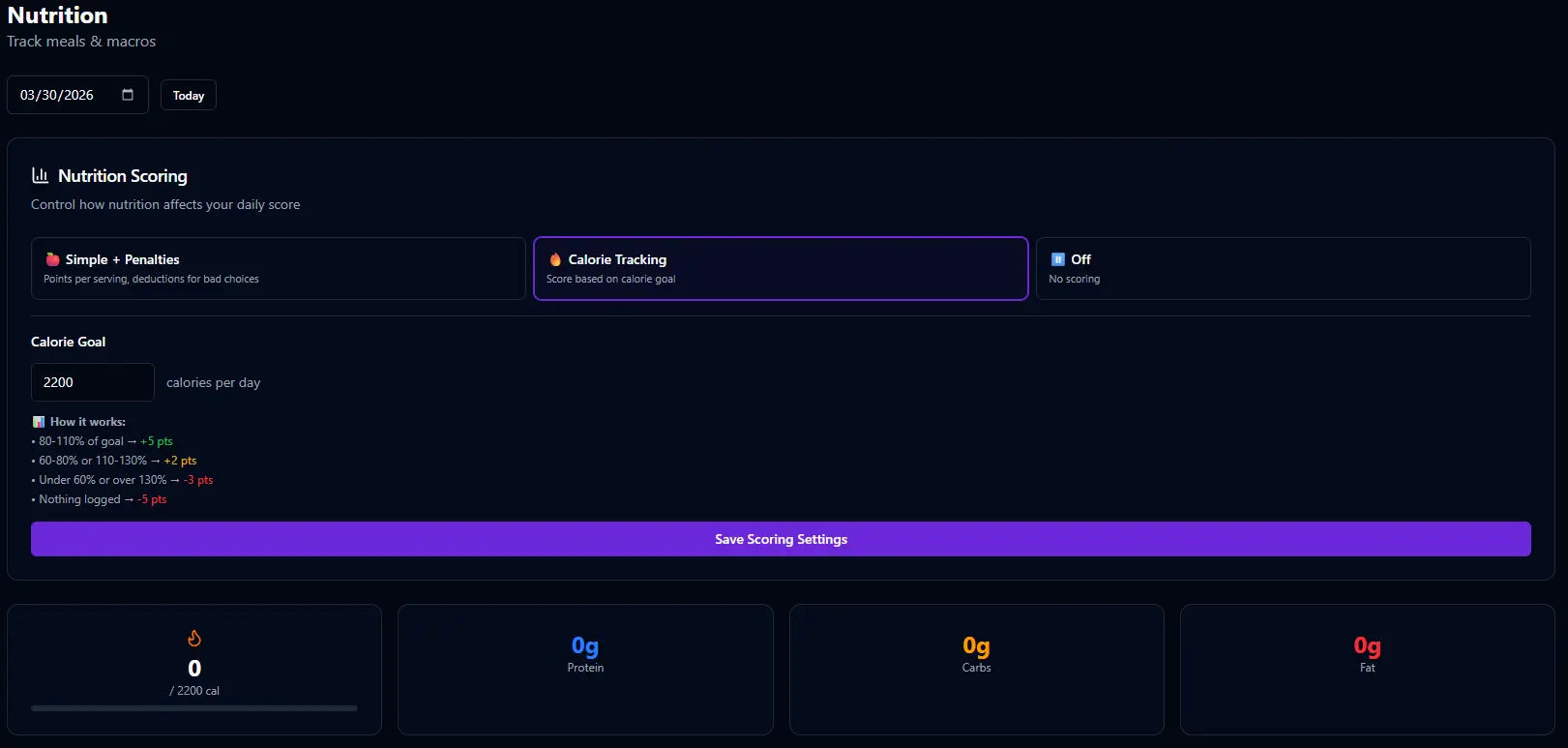
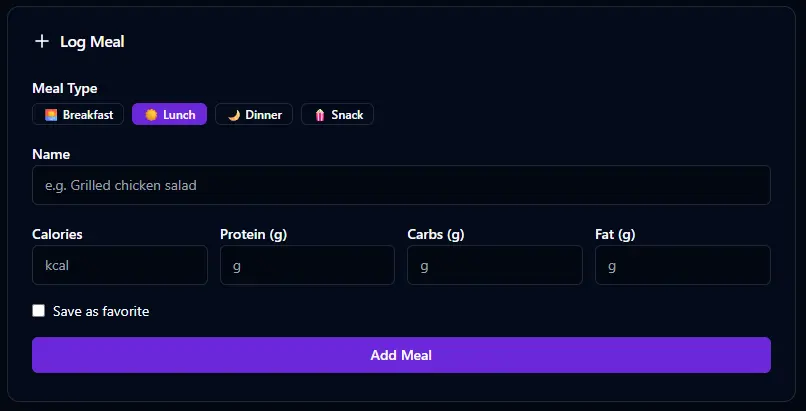
Set a daily calorie target. Log each meal with calories, protein, carbs, and fat. Scoring is based on how close you land to your target — over or under. Save favorite meals for quick re-logging. Full meal history by date.
Reward the good. Penalize the rest.
In simple mode, you define what you're tracking — fruits, vegetables, protein, or whatever matters to you. Each serving earns points. Then you add penalty items for the foods you're trying to reduce. Grab fast food? That costs you points. The system makes healthy choices feel rewarding and unhealthy ones feel expensive.
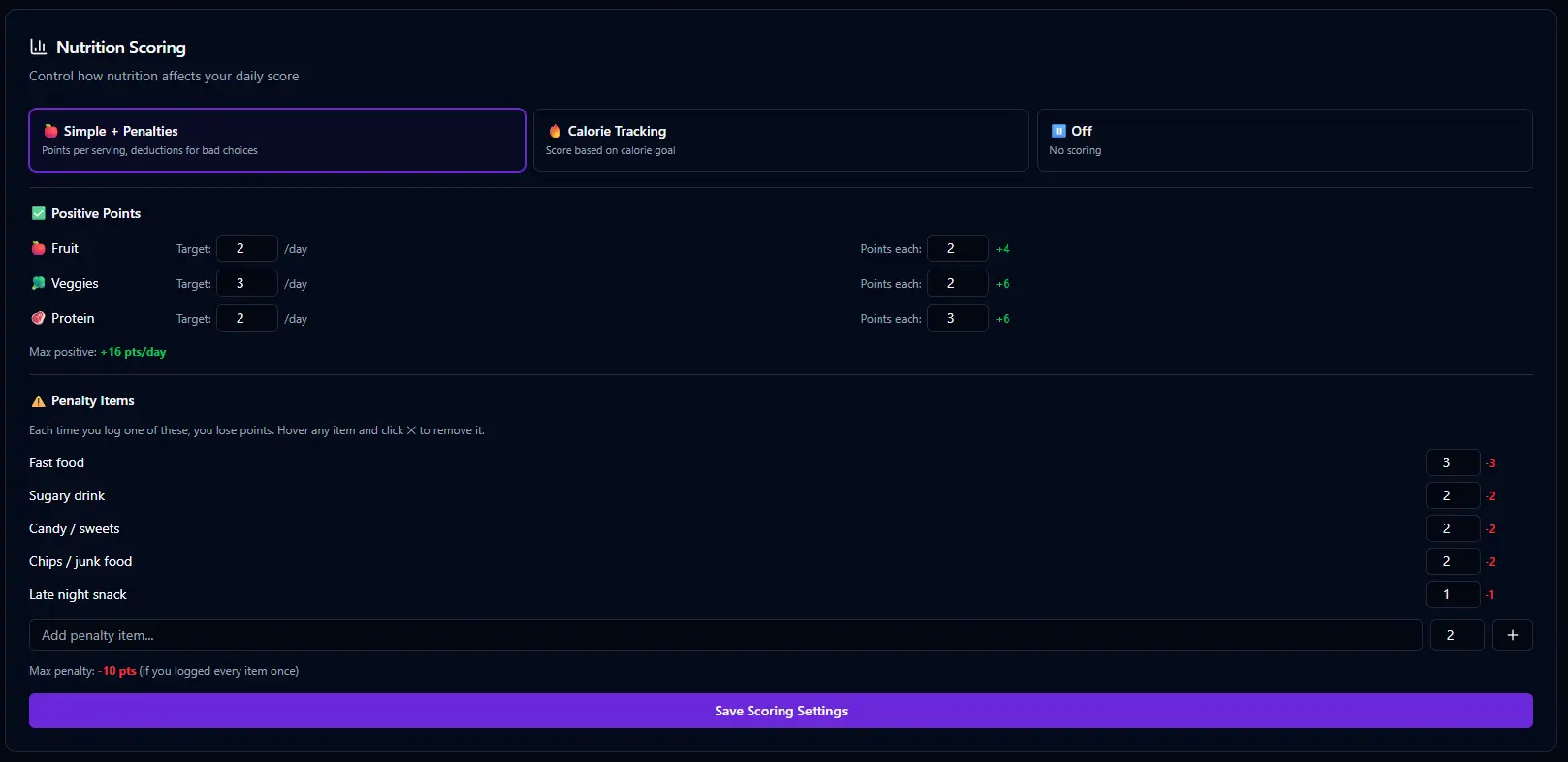
📊 How simple scoring works
✅ Positive Items
Track servings of fruits, vegetables, protein, and other healthy foods. Each serving you log earns points. You set the point values — make vegetables worth more if that's where you need the push.
✓ 1 serving of fruit → +2 pts
✓ 1 serving of protein → +2 pts
❌ Penalty Items
Add items for foods you're trying to eliminate or reduce — fast food, chips, sugary drinks, whatever your weakness is. Each one subtracts points. The penalty makes the habit visible and costly.
✗ Snack / junk food → −2 pts
✗ Soda → −1 pt
Log what you ate. Keep it honest.
In simple mode, the dashboard card shows your tracked items for the day — servings of fruits, vegetables, and protein along with any penalties you've logged. It's a quick, honest snapshot of how you're eating today. Tap to add a serving, and the points roll into your daily score.
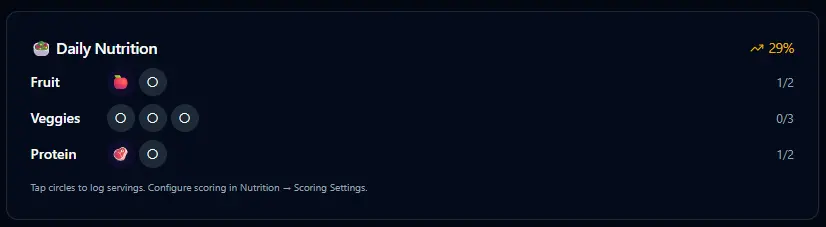
Don't want to tap through the dashboard? Say "Had a chicken sandwich and a salad for lunch" and Bit logs it with estimated values. Mention fast food and Bit knows to log the penalty too. Your voice is the interface.
Set a target. Track every meal.
When you're ready for more precision, switch to calorie mode. Set your daily calorie target and log each meal with calories, protein, carbs, and fat. Scoring is based on how close you land to your target — whether you're over or under. Save meals you eat often as favorites for one-tap re-logging.
Enable it when you're ready.
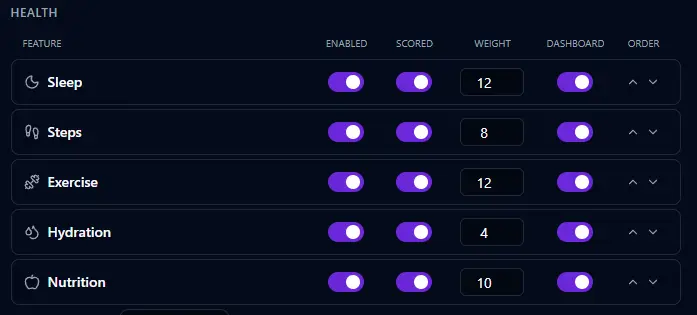
Like every health feature in BitHustle, nutrition tracking starts turned off. In Settings, you enable it, choose whether it's scored, set the weight it carries in your daily number, and decide whether it appears on your dashboard. This is the same settings page used for all health features — sleep, exercise, steps, hydration, and more.
Don't want to dig into settings? Tell Bit "I want to start tracking what I eat" and it enables nutrition with sensible defaults. Bit will ask which mode you prefer — simple or calorie — and set it up for you.