Define what counts. Set the rewards.
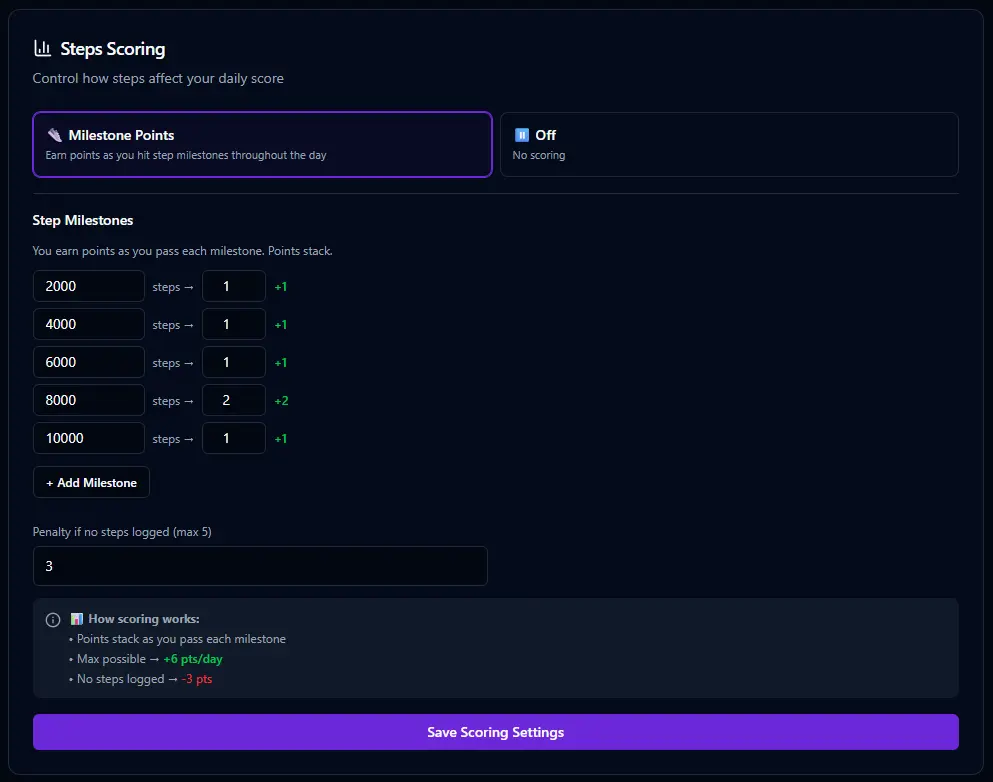
On the Steps setup page, you define your step milestones and the points you earn for hitting each one. Maybe 5,000 steps earns you 2 points, 8,000 earns 4, and 10,000 is the full bonus. You also set a penalty for zero-step days — because a day with no movement should show up in your score. You decide the targets. The scoring engine does the rest.
📊 How step scoring works
Steps use a milestone-based scoring system. Instead of a single target, you set multiple milestones at different step counts. As your daily steps climb past each milestone, you earn more points. Zero steps earns a penalty. This rewards any movement while giving you something to reach for.
✓ 5,000 steps → +2 pts
✓ 8,000 steps → +4 pts
✓ 10,000 steps → +6 pts
✗ 0 steps → −3 pts
Enter your steps. Watch the score move.
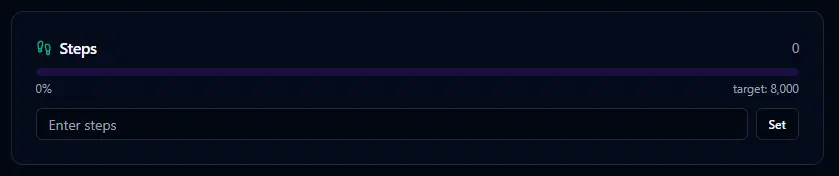
The Steps card on your dashboard is about as simple as it gets. Type in your step count and you're done. The score updates immediately based on which milestones you've hit. Check your phone's step counter, punch the number in, move on with your day.

Say "I walked 8,200 steps today" and Bit logs it. No need to open the dashboard at all. Bit handles the entry and you get the score.
Enable it when you're ready.
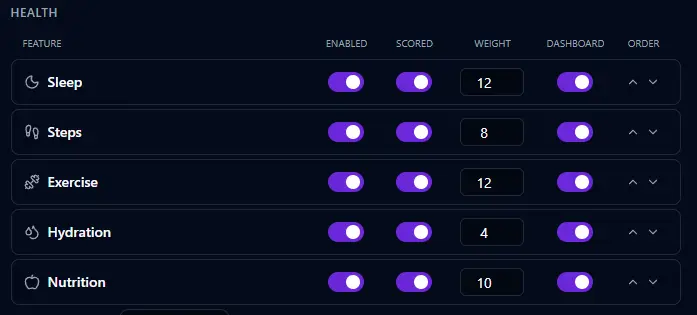
Like every health feature in BitHustle, step tracking starts turned off. Enable it in Settings, choose whether it's scored, set the weight, and toggle dashboard visibility. Or tell Bit — "I want to track my steps" — and it's done.